How it works
Blank Page to Polished Equation in Three Steps
MATH Keys Chrome extension
Enter math and STEM notes, then paste the result as text or an image, or copy LaTeX and Typst code anywhere, including Docs, Slides, email, and MATH Keys editors.
Live demo: the MATH Keys extension popup moving through its keyboard tabs, writing the quadratic formula, the Schrödinger equation, a benzene structure, and a plot, then copying the result
Blank Page to Polished Equation in Three Steps
Copy once, then drop the result into documents, slides, spreadsheets, email, notes, or the MATH Keys editor.
 Google Docs
 Google Slides
 Microsoft Word
 Microsoft Excel
 PowerPoint
 Keynote
 Gmail
Gmail Apple Mail
 TextEdit
 MATH Keys Editor
Hover or tap a subject on the left to preview the real keyboard.
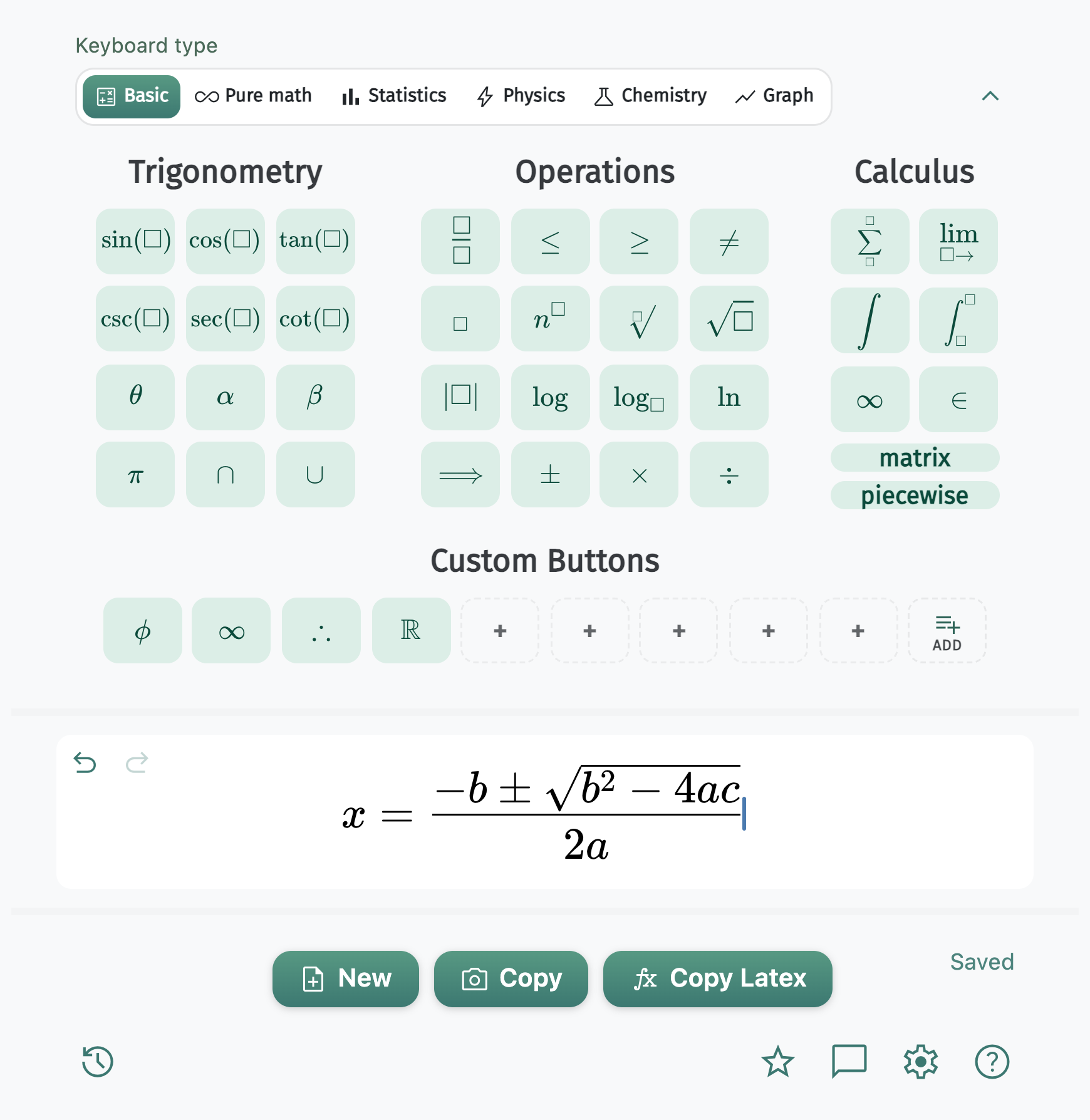
Fig. 01, Basic mode
Graphing
Toggle the plot type, pan, and zoom. Export an image or TikZ for PDFs and slides. In the MATH Keys LaTeX and Typst editors, the keyboard also builds the matching source structure and imports rendered figures when needed.
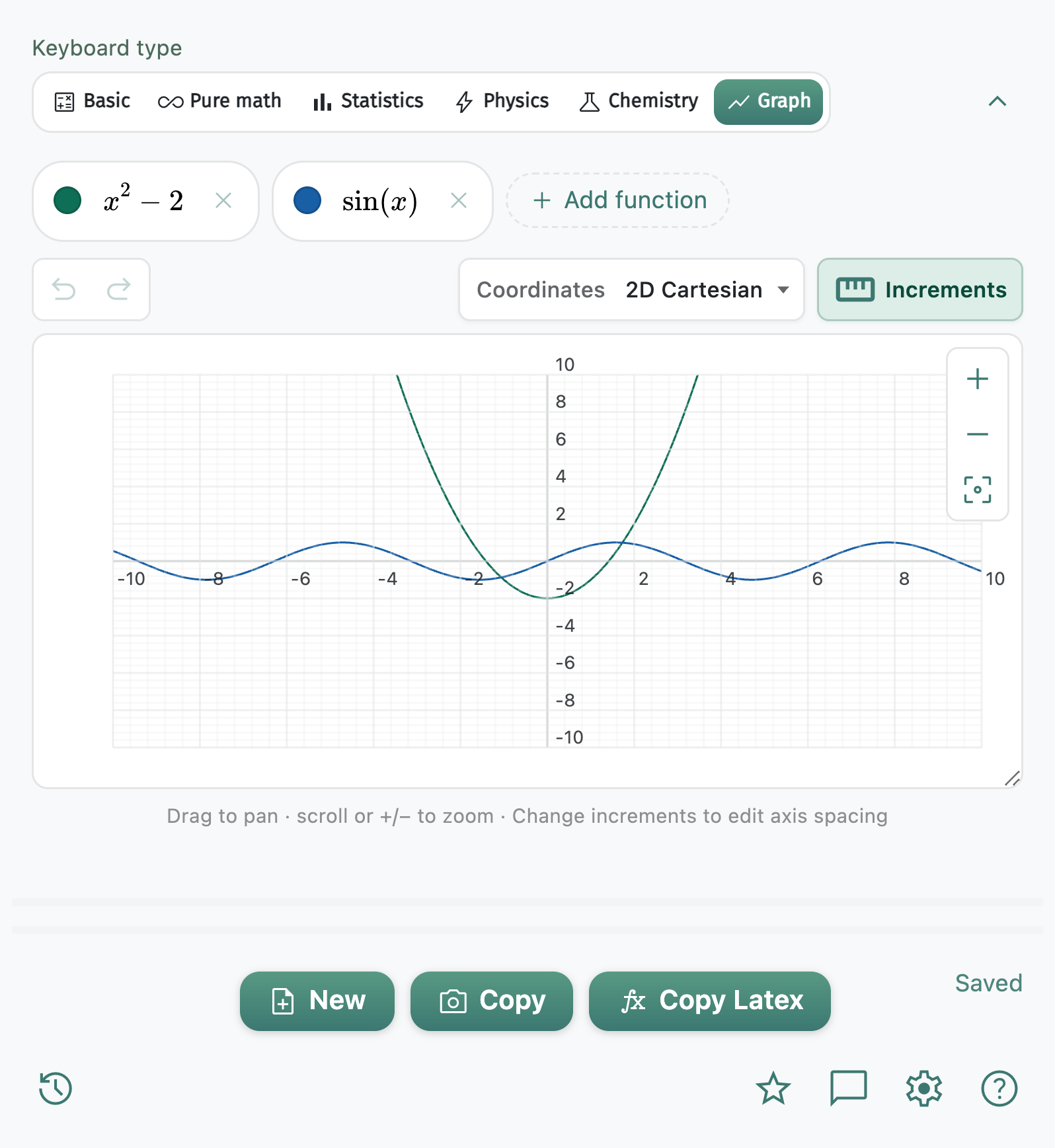
Pan, zoom, and export as image or TikZ.
Customize your keyboard theme, font size, and font color to style equations as your own. Hover or tap a feature below to learn more.
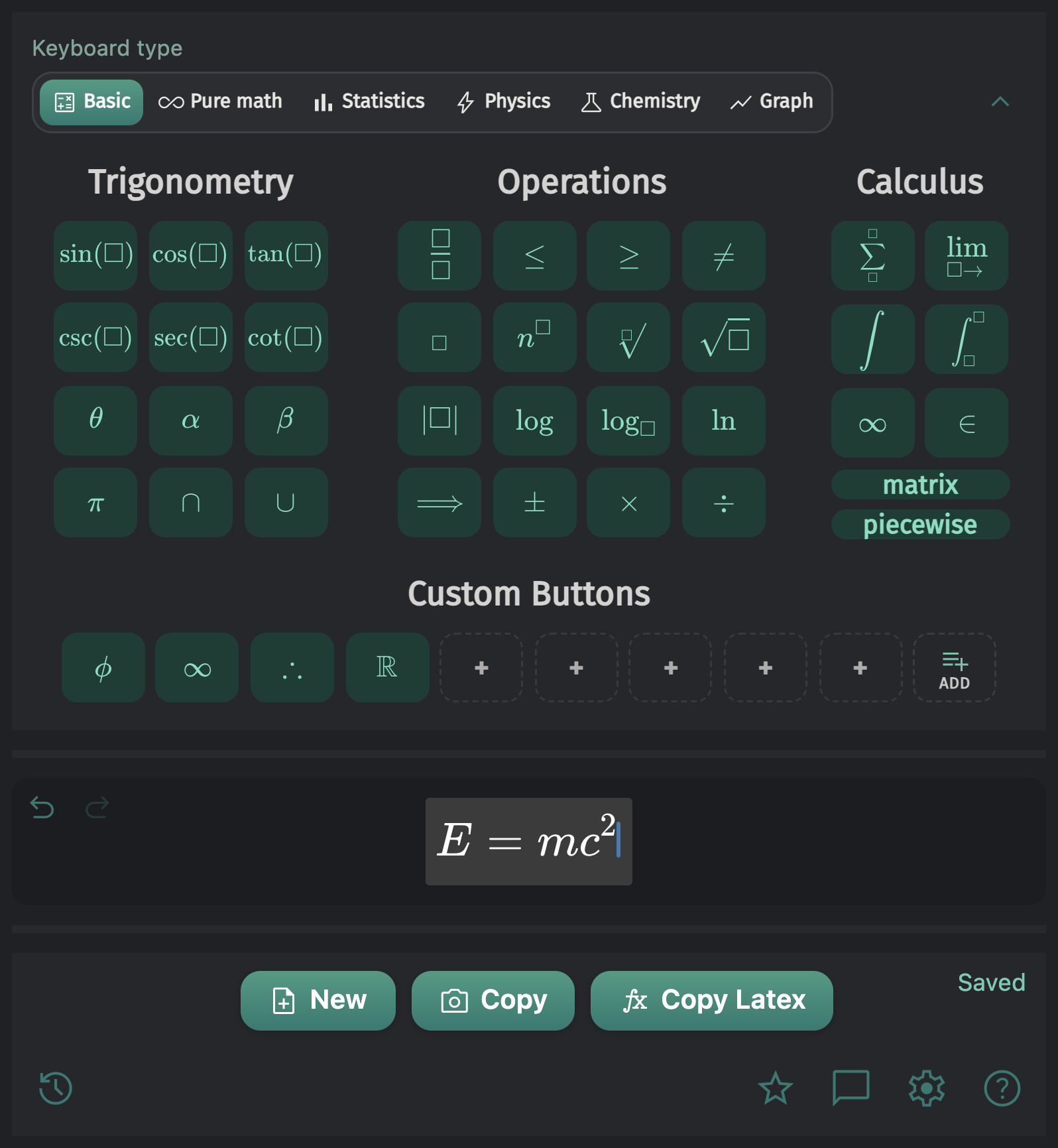
Choose a light or dark keyboard theme, or follow your system preference automatically.
Write across STEM subjects, build equations and plots, customize the keyboard, keep your history, undo or redo changes, and copy results as images, text, LaTeX, or Typst.